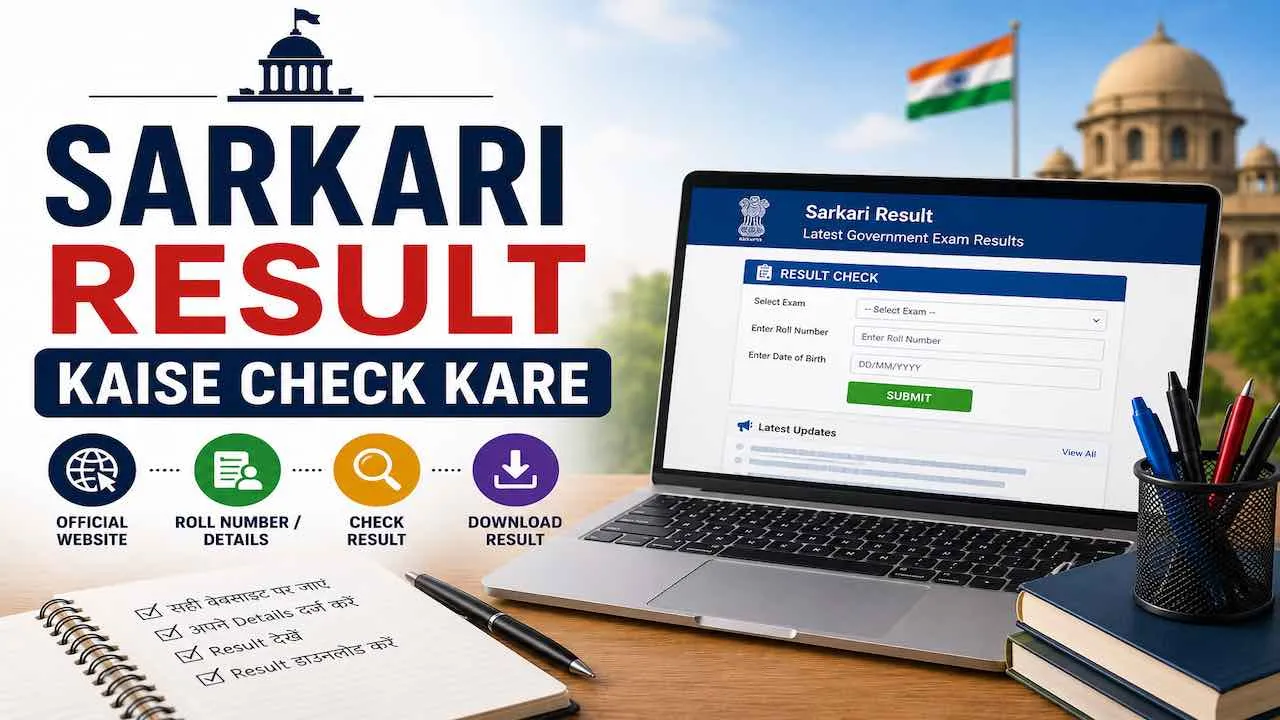
किसी भी Sarkari Result check करने के लिए exam की official website खोलें, “Result” section पर जाएं, Roll Number और Date of Birth डालें, Submit करें। आपका result सामने आ जाएगा। नीचे SSC, Railway, UPSC, Bank और Board, हर exam के लिए exact steps दिए गए हैं।
Sarkari Result Check करने के लिए क्या चाहिए
Result page खोलने से पहले ये 4 चीजें तैयार रखें। इनके बिना कोई भी Sarkari Result online नहीं खुलेगा।
- Roll Number या Registration Number: Admit Card पर छपा होता है। यही सबसे ज़रूरी जानकारी है।
- Date of Birth: अधिकांश portals पर DD/MM/YYYY format में enter करनी होती है।
- Admit Card: Roll Number confirm करने के लिए साथ रखें। गलत number से result नहीं खुलेगा।
- Stable Internet Connection: Result के दिन server slow रहता है। Wi-Fi या 4G connection से try करें।
Sarkari Result Kaise Check Kare : Step by Step
Sarkari Result देखने का सही तरीका यह है। यह process सभी central और state government exams के लिए same है।
- Official Website खोलें: Google पर exam का नाम और “official website” search करें। जैसे “SSC official website” या “RRB NTPC result”। सिर्फ .gov.in या .nic.in domain वाली website पर जाएं।
- Result Section ढूंढें: Homepage पर “Results”, “Latest Updates”, “What’s New” या “Notice Board” में जाएं।
- सही Link Select करें: Exam का नाम, stage जैसे Prelims, Mains, Final और year देखकर सही link चुनें।
- Details Enter करें: Roll Number और Date of Birth सही format में डालें। Captcha fill करें।
- Submit करें: “Submit” या “Check Result” button press करें। Result screen पर आएगा।
- Result Download करें: PDF download करें या screenshot लें। यह document verification में काम आता है।
- Printout रखें: Next stage जैसे Document Verification के लिए result का printout ज़रूरी होता है।
SSC Result Kaise Check Kare
SSC Result check करने के लिए official website ssc.gov.in पर जाएं। SSC CGL, CHSL, GD, MTS, CPO सभी exams के results यहीं मिलते हैं।
- Browser में ssc.gov.in खोलें।
- Top menu में “Result” tab पर click करें।
- अपने exam जैसे SSC CGL, CHSL, GD का result link चुनें।
- Roll Number और Date of Birth enter करें।
- Captcha fill करके Submit करें।
- Scorecard आएगा। उसे PDF format में download करें।
ज़रूरी बात: SSC multi-shift exams में Normalized Marks दिखते हैं, Raw Marks नहीं। यह normal है। SSC CGL Result और SSC GD Result की direct links यहाँ मिलेंगी।
Railway RRB Result Kaise Check Kare
Railway Result check करने के लिए अपने zone के RRB की official website पर जाएं। India में 21 RRB zones हैं और हर zone की website अलग है।
- अपने zone की RRB official website खोलें जैसे rrbcdg.gov.in, rrbmumbai.gov.in, rrbald.gov.in।
- “Results” या “CEN Notifications” section में जाएं।
- RRB NTPC, Group D, ALP या JE में से अपने exam का link select करें।
- Registration Number और Date of Birth enter करें।
- Submit करें। Result screen पर आएगा।
- PDF download करें और Ctrl+F से Roll Number search करें।
ध्यान दें: RRB result अधिकतर PDF Merit List के रूप में आता है, individual scorecard नहीं। PDF में अपना Roll Number ढूंढने के लिए Ctrl+F use करें।
UPSC Result Kaise Check Kare
UPSC Result check करने के लिए official website upsc.gov.in पर जाएं। Civil Services, NDA, CDS, CAPF सभी का result यहीं मिलता है।
- upsc.gov.in खोलें।
- Homepage पर “Written Results” या “Final Results” section में जाएं।
- अपने exam जैसे IAS Prelims, Mains, NDA का result link चुनें।
- UPSC result PDF format में होता है जिसमें Roll Numbers की list होती है।
- PDF खोलें और Ctrl+F दबाकर अपना Roll Number type करें।
- Roll Number मिलने का मतलब है आप Qualified हैं।
ध्यान दें: UPSC individual login-based scorecard नहीं देता। Result हमेशा Roll Number की PDF list के रूप में होता है।
Bank Exam Result Kaise Check Kare
Banking exam result IBPS और SBI के portals पर login-based individual scorecard के रूप में आता है।
IBPS Result Check करने के Steps
- ibps.in खोलें।
- “CRP Result” section में जाएं।
- IBPS PO, Clerk या RRB का link select करें।
- Registration Number, Roll Number और Password enter करें।
- Submit करने पर individual scorecard खुलेगा। PDF download करें।
SBI Result Check करने के Steps
- bank.sbi या sbi.co.in खोलें।
- “Career” section में जाएं।
- SBI PO या SBI Clerk का result link चुनें।
- Registration Number और Password से login करें।
- Scorecard download करें।
IBPS PO Result, SBI PO Prelims Result और SBI Clerk Prelims Result के direct links यहाँ मिलेंगे।
Board Exam Result Kaise Check Kare
Board exam result check करने के लिए अपने state board की official website पर जाएं। Roll Number और Roll Code enter करके marksheet online देखें।
| State Board | Official Website | Result Direct Link |
|---|---|---|
| Bihar Board (BSEB) | biharboardonline.bihar.gov.in | 10th | 12th |
| UP Board (UPMSP) | upmsp.edu.in | UPMSP Result |
| MP Board (MPBSE) | mpbse.nic.in | MPBSE Result |
| Rajasthan Board (RBSE) | rajeduboard.rajasthan.gov.in | RBSE 10th Result |
| CBSE | cbseresults.nic.in | 10th | 12th |
| Gujarat Board (GSEB) | gseb.org | GSEB 12th Result |
| HP Board (HPBOSE) | hpbose.org | HP Board 12th Result |
Roll Number Nahi Hai To Sarkari Result Kaise Dekhe
Roll Number भूल गए हैं तो result check करने के 2 तरीके हैं।
तरीका 1 : Admit Card Redownload करें
Admit Card पर Roll Number लिखा होता है। Official website पर जाएं, Admit Card section में जाएं और Registration Number और Date of Birth से admit card दोबारा download करें। Roll Number वहाँ से note करें।
तरीका 2 : PDF Merit List में Name से Search करें
कुछ exams जैसे UPSC, India Post GDS में PDF result download होती है जिसमें names भी होते हैं।
- Official website से result PDF download करें।
- PDF open करें।
- Ctrl+F (Windows) या Cmd+F (Mac) दबाएं।
- Search box में अपना नाम type करें।
- नाम match होने पर PDF में entry highlight होगी।
ध्यान रखें: अगर पूरा नाम नहीं मिला तो first name, last name या short form से try करें। जैसे “Rajesh Kumar Sharma” को “Rajesh”, “Sharma” या “R K Sharma” से भी search करें।
Mobile Se Sarkari Result Kaise Check Kare
Mobile से result check करना उतना ही आसान है जितना computer से। सभी official websites mobile browser में खुलती हैं।
- Mobile में Chrome या Firefox browser खोलें।
- Exam की official website का URL address bar में type करें।
- Result section में जाएं और login details enter करें।
- Result आने पर screenshot ज़रूर लें।
- PDF download के लिए browser का Download option use करें।
आसान तरीका: sarkariresults.post.in mobile पर perfectly खुलती है। यहाँ सभी exams के result links एक जगह मिलते हैं।
Result Check करते समय आने वाली Problems और Solutions
Result के दिन लाखों candidates एक साथ official website खोलते हैं। इससे server slow हो जाता है। नीचे सबसे common problems और उनके exact solutions दिए गए हैं।
| Problem | Reason | Solution |
|---|---|---|
| Website नहीं खुल रही | Server overload | सुबह 5 से 7 बजे या रात 11 बजे के बाद try करें जब traffic कम होता है। |
| “Invalid Credentials” error | Roll Number या Date of Birth गलत format में | Admit Card से Roll Number दोबारा confirm करें। Date DD/MM/YYYY format में डालें। |
| PDF download नहीं हो रही | Browser popup block | Browser settings में Pop-up Blocker disable करें। दूसरा browser try करें। |
| PDF में नाम नहीं मिल रहा | Name spelling variation | अलग spellings और initials से Ctrl+F में search करें। |
| Captcha error | Captcha गलत भरा | Page refresh करें, नया Captcha लें और ध्यान से भरें। |
| Result page 404 error | गलत website खोली | Google पर exam का नाम + “official site” search करें। .gov.in या .nic.in domain ही use करें। |
Sarkari Result Check Karne Ke Baad Kya Kare
Result check करने के बाद अगला step exam के stage पर निर्भर है। नीचे दोनों situations के लिए exact steps हैं।
अगर Qualified हुए हैं
- Scorecard तुरंत download करें और Google Drive या phone में save करें।
- Official website check करते रहें। Next stage जैसे Mains, Skill Test या Document Verification की date आएगी।
- Documents ready रखें जैसे identity proof, qualification certificates, category certificate।
- Cut Off Marks देखें और अपने marks से compare करें।
- Merit List में अपना Roll Number दोबारा confirm करें।
अगर Qualify नहीं हुए
- Scorecard download करके subject-wise marks note करें।
- Cut Off से कितने marks कम रहे, यह calculate करें।
- Weak subjects identify करें और next attempt की preparation शुरू करें।
- sarkariresults.post.in पर दूसरे available government exam notifications देखें।
Fake Result Websites से कैसे बचें
Internet पर बहुत सारी fake websites official sites जैसी दिखती हैं। इनसे बचने के लिए ये बातें याद रखें।
- Domain check करें: Official government websites हमेशा .gov.in या .nic.in पर होती हैं।
- Payment कभी न करें: Sarkari Result check करना हमेशा free है। पैसे मांगने वाली website fraud है।
- Personal details share न करें: कोई भी official site password, OTP या bank details नहीं मांगती।
- Trusted portal use करें: sarkariresults.post.in जैसे portals सिर्फ official website का link देते हैं, खुद result host नहीं करते।
Exam-wise Official Result Websites : Quick Reference
| Exam | Official Result Website | Details ज़रूरी | Result Format |
|---|---|---|---|
| SSC CGL | ssc.gov.in | Roll Number + DOB | Individual Scorecard |
| SSC GD | ssc.gov.in | Roll Number + DOB | Scorecard + PDF List |
| SSC MTS | ssc.gov.in | Roll Number + DOB | Individual Scorecard |
| IBPS PO | ibps.in | Reg. No. + Password | Login-based Scorecard |
| SBI PO | bank.sbi | Reg. No. + Password | Login-based Scorecard |
| SBI Clerk | bank.sbi | Reg. No. + Password | Login-based Scorecard |
| UP Police | uppbpb.gov.in | Roll Number | Merit List PDF |
| Bihar Police Constable | csbc.bih.nic.in | Roll Number + DOB | Merit List PDF |
| India Post GDS | indiapostgdsonline.gov.in | Reg. No. + DOB | Merit List PDF |
| NEET | neet.nta.nic.in | Application No. + DOB | Individual Scorecard |
| CUET UG | cuet.samarth.ac.in | Application No. + DOB | Individual Scorecard |
| CTET | ctet.nic.in | Application No. + DOB | Individual Scorecard |
| TSPSC Group 1 | tspsc.gov.in | Hall Ticket No. + DOB | Merit List PDF |
| TNPSC Group 4 | tnpsc.gov.in | Reg. No. + DOB | Individual Scorecard |
Sarkari Result Kaise Check Kare : FAQs
Roll Number सबसे ज़रूरी है। यह Admit Card पर होता है। Roll Number के साथ Date of Birth भी ज़रूरी है। इन दोनों से किसी भी exam का result check हो जाता है।
Official website पर जाकर Admit Card section में Registration Number और Date of Birth से admit card दोबारा download करें। Roll Number वहाँ मिलेगा।
PDF open करने के बाद Ctrl+F (Windows) या Cmd+F (Mac) दबाएं। Search box में नाम या Roll Number type करें। PDF automatically उस entry पर jump करेगा।
लाखों candidates एक साथ website खोलते हैं जिससे server overload होता है। सुबह 5 से 7 बजे या रात 11 बजे के बाद try करें। उस time traffic कम होता है।
Sarkari Result check करना हमेशा free है। कोई official government website पैसे नहीं लेती। पैसे मांगने वाली कोई भी website fraud है।
Summary
किसी भी Sarkari Result kaise check kare इसका सीधा जवाब है , exam की official website पर जाएं, Result section खोलें, Roll Number और Date of Birth enter करें, submit करें और PDF download करें। SSC के लिए ssc.gov.in, Railway के लिए RRB zone-wise websites, UPSC के लिए upsc.gov.in, Banking के लिए ibps.in या bank.sbi , ये सभी official portals हैं जहाँ result मिलता है।
सभी latest Sarkari Results के direct links एक जगह पाने के लिए sarkariresults.post.in को bookmark करें।