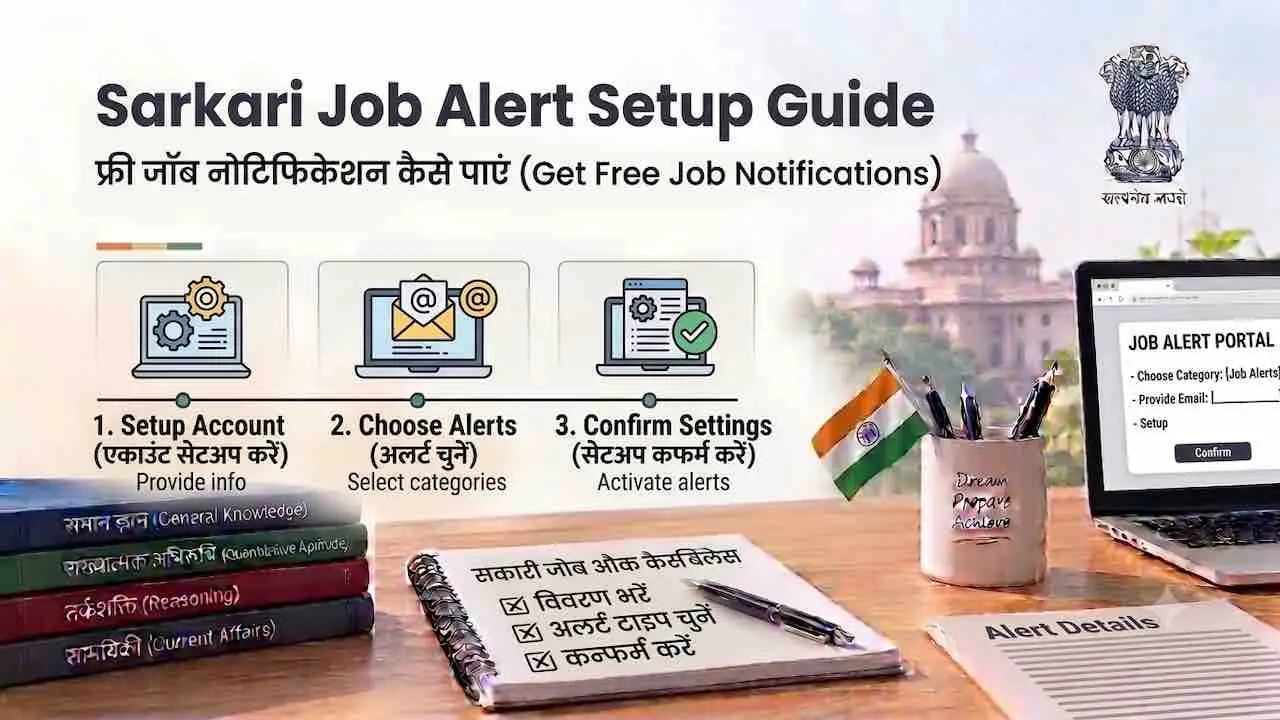
Sarkari Result Alert subscribe करने के 7 free methods हैं। Google Alerts, Telegram, SMS, Browser Notification, Email, NCS Portal: इनमें से कोई भी use करें। इनमें से Google Alerts और Telegram सबसे reliable हैं। एक बार setup करने के बाद notification mobile पर तुरंत मिलती है। बिना site खोले result और admit card की जानकारी मिल जाती है। कभी कोई important notification miss न हो। इसीलिए यह guide तैयार की गई है।
| Alert Method | Setup Time | Speed | Cost | Best For |
|---|---|---|---|---|
| Google Alerts | 5 मिनट | Fast (Email) | बिल्कुल Free | Specific exam names, SSC, UPSC, Railway |
| Telegram Channel | 1 मिनट | Instant | बिल्कुल Free | Daily results, admit cards, vacancies |
| SMS Alert | पहले से active (exam form से) | Instant | बिल्कुल Free | Registered candidates को official SMS |
| Browser Push Notification | 2 मिनट | Instant | बिल्कुल Free | Website-specific result day alerts |
| Email Subscription | 3 मिनट | Same day | बिल्कुल Free | Official board emails, weekly digest |
| NCS Portal | 10 मिनट | Daily digest | बिल्कुल Free | Government job openings |
| WhatsApp Channel | 1 मिनट | Instant | बिल्कुल Free | Quick updates, result links |
सभी latest sarkari results और vacancies Latest Sarkari Result पर एक जगह मिलती है। Alert आने पर वहाँ जाकर तुरंत verify करें।
Google Alerts से Sarkari Exam Notification Setup करें
Google Alerts सबसे reliable free Government Job Notification Alert method है। Gmail में result, admit card और नई vacancy की news सीधे आती है। Last date याद न रहने की समस्या इससे हमेशा के लिए खत्म हो जाती है।
Google Alerts Setup करने के Steps
- Browser में alerts.google.com खोलें। Google account से login करें।
- Search box में exam का नाम type करें। उदाहरण: “SSC CGL Result” या “UPSC Notification”
- “Show options” पर click करें।
- How often में “As it happens” select करें। News आते ही email मिलेगा।
- Sources में “News” या “Web” select करें।
- Region में India select करें।
- Deliver to में अपना Gmail address enter करें।
- “Create Alert” पर click करें। Alert तुरंत active हो जाएगा।
Sarkari Exams के लिए Best Google Alert Queries
Targeted queries से accurate alerts मिलते हैं और inbox में फालतू emails नहीं आती।
| Exam | Google Alert Query | Frequency |
|---|---|---|
| SSC (CGL, CHSL, GD) | “SSC Result” OR “SSC Notification” site:ssc.gov.in | As it happens |
| UPSC Civil Services | “UPSC Notification” site:upsc.gov.in | As it happens |
| Railway (RRB NTPC, Group D) | “Railway Result” OR “RRB Notification” | As it happens |
| Banking (IBPS, SBI) | “IBPS Result” OR “SBI PO Notification” site:ibps.in | As it happens |
| Police Recruitment | “UP Police Result” OR “Bihar Police Vacancy” | As it happens |
| सभी Sarkari Results एक साथ | “Sarkari Result” OR “Sarkari Naukri Notification” | Once a day |
एक Gmail account में maximum 1,000 Google Alerts बना सकते हैं। RSS feed option भी Google Alerts में available है। केवल जिन exams की तैयारी कर रहे हों उनके लिए alerts बनाएं। Too many alerts से inbox flood हो जाती है।
SMS Alert: Sarkari Exam Form भरते समय ही Alert Active हो जाता है
Sarkari exam form भरते समय registered mobile number पर official SMS alert automatically active होता है। यह सबसे direct free sarkari result SMS method है। यह सबसे direct और instant free sarkari result alert SMS method है।
SMS Alert के लिए क्या करना होगा
- Mobile number active रखें: Exam form में जो mobile number दिया है वह number हमेशा active रखें। Result, admit card और DV date का SMS उसी number पर आता है।
- Number change मत करें: Application pending होने पर number बदलने से official SMS miss हो जाती है। Number change होने पर exam board के portal पर update करें।
- DND deactivate करें: Do Not Disturb (DND) service active हो तो government SMS block हो सकता है। Telecom provider से DND deactivate करवाएं।
- SMS inbox space: Phone में SMS inbox full न हो। नई SMS आने के लिए space ज़रूरी है।
NCS Portal से SMS Job Alert Kaise Subscribe Karein
- ncs.gov.in खोलें। यह Ministry of Labour and Employment का official Government Job Notification portal है।
- “Job Seeker” के रूप में register करें।
- Mobile number और Aadhaar से verify करें।
- Profile में Government Sector और qualification fill करें।
- Job Alert section में keyword add करें: जैसे “Constable”, “Clerk”, “Assistant”
- Alert mode में SMS + Email दोनों select करें।
- Save करें। Matching government jobs की SMS तुरंत आने लगेगी।
Telegram Channel से Free Sarkari Result Alert पाएं
Telegram सबसे fast Free Sarkari Job Alert method है। Result declare होते ही notification bell icon पर instant alert pop होती है। Admit card, result link, cut off और vacancy सब एक जगह मिलता है।
Telegram पर Alert Channel Join करने के Steps
- Phone में Telegram app download करें। Play Store और App Store दोनों पर free है।
- Mobile number से account बनाएं।
- Search bar में exam keyword type करें: जैसे “SSC Result” या “Sarkari Result”
- Results में Channels tab select करें। Groups से Channel अधिक reliable होते हैं।
- Channel की post history देखें। Daily posts आते हों तो Join करें।
- Channel के notification bell icon को tap करके notifications ON रखें।
Reliable Telegram Channel की 4 पहचान
Fake और spam channels से बचने के लिए join करने से पहले ये 4 signs ज़रूर देखें।
- Member count: 50,000 से अधिक members वाले channels reliable होते हैं।
- Post frequency: Daily updates आते हों। 7 दिन से अधिक पुरानी last post हो तो join मत करें।
- Official links: Posts में ssc.gov.in, upsc.gov.in, ibps.in जैसे official links share होते हों।
- No spam posts: Casino, loan, prize claim जैसे posts हों तो तुरंत leave करें।
Browser Push Notification Subscribe करें
Browser Push Notification से website पर result आते ही screen पर notification pop up होती है। Mobile और desktop दोनों पर काम करता है।
Chrome Browser में Notification Allow करें
- sarkari result website browser में खोलें।
- Address bar में बाईं तरफ lock icon पर click करें।
- Dropdown में “Notifications” find करें।
- “Allow” select करें। Notifications आनी शुरू हो जाएंगी।
Firefox Browser में Notification Allow करें
- Website खोलें। Address bar में lock icon पर click करें।
- “Connection Secure” पर click करें।
- Permissions tab में “Receive Notifications” को Allow करें।
Android पर Chrome Notification Manage करें
- Chrome app में तीन dots (⋮) पर tap करें।
- Settings में जाकर Site Settings खोलें।
- Notifications में allowed sites की list देखें।
- Toggle ON रखें। Battery optimization से उस site को Exclude करें।
Email Alert aur NCS Portal से Sarkari Naukri Alert Setup करें
Official exam board की email list subscribe करने से important notifications directly Gmail में आती हैं।
| Exam Board | Email Alert Method | Official Website |
|---|---|---|
| Staff Selection Commission (SSC) | ssc.gov.in पर “Notifications” bookmark करें। Google Alert: site:ssc.gov.in recommended। | ssc.gov.in |
| UPSC | upsc.gov.in पर “What’s New” section। Google Alert: site:upsc.gov.in | upsc.gov.in |
| Railway RRB | indianrailways.gov.in notifications। RRB zone-wise website भी देखें। | indianrailways.gov.in |
| IBPS Banking | ibps.in पर “CRP Notifications” section। Google Alert: site:ibps.in | ibps.in |
| Employment News | employmentnews.gov.in पर free email subscription available है। | employmentnews.gov.in |
WhatsApp Channel से Government Job Notification Alert
WhatsApp Channels से instant sarkari result updates मिलते हैं। यहाँ केवल verified official channels join करें।
- Official Channels: WhatsApp में Search करें। Verified blue tick वाले exam board channels join करें।
- Unknown groups से बचें: Unknown links से आए group invites पर personal data share मत करें।
- Secondary method: WhatsApp को primary source नहीं बनाएं। Google Alerts या Telegram primary रखें।
- Mute करें: High-traffic channels mute करके रखें। Result day पर manually देखें।
Mobile App Notification Enable करें
Android और iOS दोनों पर notification settings enable करना ज़रूरी है वरना alerts miss होती हैं।
Android पर Notification Enable करने के Steps
- Phone Settings खोलें।
- Apps में जाकर browser या sarkari result app select करें।
- Notifications पर tap करें।
- “Allow Notifications” toggle ON करें।
- Battery saver mode से उस app को Exclude करें। Battery saver mode notification delay करता है।
iPhone (iOS) पर Notification Enable करने के Steps
- iPhone Settings खोलें।
- Notifications में जाएं।
- List में browser या app select करें।
- “Allow Notifications” toggle ON करें।
- Alerts, Sounds और Badges तीनों enable करें।
Fake Alert aur Spam Channel से कैसे बचें
Fake Government Job Notification Alert से candidates को गुमराह किया जाता है। इसलिए हर alert official website पर verify करें।
- Official website पर confirm करें: कोई भी alert आए तो directly official website (ssc.gov.in, upsc.gov.in आदि) पर जाकर confirm करें। Third-party site पर directly trust मत करें।
- Fake fee demand: Genuine sarkari result या admit card के लिए कोई fee नहीं होती। Alert में fee demand हो तो वह fraud है।
- Unknown link पर click मत करें: WhatsApp या SMS पर आए unknown link पर personal details मत डालें।
- Telegram पर verify करें: Telegram channel का नाम official board के नाम से exactly match होना चाहिए। Spelling variation से fake channels identify होते हैं।
- Google Alert accuracy: alerts.google.com से आई email में source link ज़रूर देखें। Official domain (gov.in) से हो तो trust करें।
Alert Ane ke Baad Kya Karein
Alert मिलने के बाद तुरंत official website पर जाकर information verify करें और ज़रूरी action लें।
- Result alert आए तो: Official website पर Roll Number से result verify करें। Scorecard तुरंत download करें और save करें।
- Admit card alert आए तो: Official site से admit card download करें। Print करें और exam center का address map पर देखें।
- New vacancy alert आए तो: Application start date और last date note करें। Eligibility criteria तुरंत पढ़ें।
- Cut off alert आए तो: अपने category की cut off से marks compare करें। Next stage की taiyari शुरू करें।
Sarkari Result kaise dekhen: Complete Guide इसकी complete step-by-step guide यहाँ पढ़ें। Alert आने के बाद result सही तरीके से देखना ज़रूरी है।
Alert Overload से कैसे बचें
बहुत अधिक alerts subscribe करने से important notifications दब जाती हैं इसलिए alert management ज़रूरी है।
- Selective Google Alerts: केवल 3 से 5 exams के लिए alerts बनाएं। RSS feed option use करें अगर feed reader prefer करते हों।
- Gmail Filter बनाएं: Gmail में “Sarkari Alert” label बनाएं। Google Alerts emails automatically उस label में जाएं इसके लिए filter setup करें।
- Telegram Mute करें: High-volume Telegram channels mute करें। Daily एक बार manually देखना काफी है।
- Frequency Control: Google Alerts में “Once a day” frequency select करने से inbox manageable रहती है।
- Admit card alert: Admit card notification के लिए “As it happens” frequency ज़रूर रखें। यह time-sensitive होती है।
Kaunsa Method Aapke Liye Best Hai
Alert method का चुनाव exam type और ज़रूरत के अनुसार करना चाहिए।
| आपकी Situation | Best Method | Reason |
|---|---|---|
| Multiple exams की तैयारी | Google Alerts + Telegram | दोनों मिलाकर कोई update miss नहीं होगी |
| केवल SSC की तैयारी | Google Alert: site:ssc.gov.in | Official source से direct alert |
| Result day instant update | Browser Push Notification | Screen पर result आते ही notification |
| Government job openings | NCS Portal SMS + Email | Official government portal, verified listings |
| Registered exam candidate | Mobile number active रखें | Exam board का official SMS automatically आता है |
| Casual updates daily | WhatsApp Channel | Already open platform, quick scan |
Admit Card Download process पहले से समझ लें।
Sarkari Result Alert: Frequently Asked Questions
alerts.google.com पर exam का नाम type करके “As it happens” select करें और Gmail add करें। Telegram channel join करना भी instant free option है। दोनों पूरी तरह free हैं और reliable हैं।
Exam application form में दिया mobile number active रखें। Exam board result और admit card का official SMS उसी number पर भेजता है। NCS Portal (ncs.gov.in) पर register करने से government job vacancy की SMS भी मिलती है।
Website खोलें, address bar में lock icon पर click करें, Notifications को “Allow” करें। Chrome और Firefox दोनों में यही process है। Android पर Chrome Settings में Site Notifications में manage कर सकते हैं।
Official website (gov.in domain) पर जाकर हर alert verify करें। Genuine sarkari alerts में fee demand नहीं होती। Unknown WhatsApp link पर personal details मत डालें। Telegram channel में official domain links हों तभी trust करें।
एक Gmail account में maximum 1,000 Google Alerts बन सकते हैं। Inbox flood से बचने के लिए 5 से 10 targeted alerts रखें। “Once a day” frequency inbox manageable रखती है।