KSEEB 2nd PUC Result for Exam 1 was declared on April 9 at 3:00 PM on karresults.nic.in and kseab.karnataka.gov.in. A total of 7,10,363 students from 5,174 PU colleges across Karnataka can now check their marks using their registration number. The overall pass percentage stands at 86.48%, the highest recorded so far. Digital marksheets are available on DigiLocker for the first time this year.
KSEEB 2nd PUC Result 2026: Key Highlights at a Glance
The Karnataka School Examination and Assessment Board (KSEAB) officially released the Karnataka 2nd PUC marks through a press conference in Bengaluru before activating the online portal. Here are the most important figures from this year’s result.
| Detail | Information |
|---|---|
| Conducting Board | Karnataka School Examination and Assessment Board (KSEAB) |
| Exam Name | Karnataka 2nd PUC Annual Examination (Exam 1) |
| Result Declared | April 9 at 3:00 PM IST |
| Exam Dates | February 28 to March 17 (Single shift, 10 AM to 1 PM) |
| Total Students Appeared | 7,10,363 across Science, Commerce, and Arts |
| Total Students Passed | 5,46,698 |
| Overall Pass Percentage | 86.48% |
| Official Result Portals | karresults.nic.in and kseab.karnataka.gov.in |
| Digital Marksheet | Available on DigiLocker (digilocker.gov.in) |
| Revaluation Deadline | April 24 at kseab.karnataka.gov.in |
| Supplementary Exam 2 Dates | April 25 to May 8 |
How to Check KSEEB 2nd PUC Result Online at karresults.nic.in
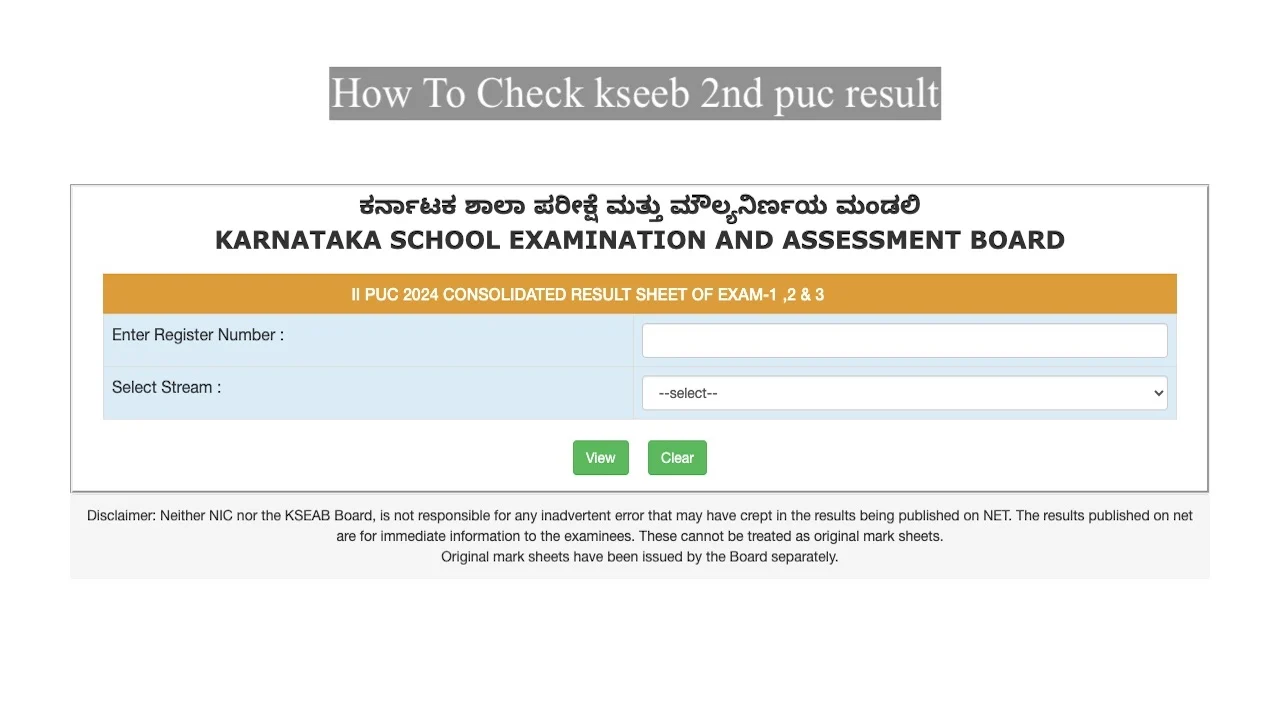
Go to karresults.nic.in, click the “Karnataka 2nd PUC Exam 1 Result” link, enter your registration number and stream, then download your marksheet. The result portal may load slowly during peak traffic hours. Use DigiLocker as a faster backup on result day.
Follow these 6 steps to access your Karnataka PUC 2nd year marks memo:
- Visit the official portal: karresults.nic.in or kseab.karnataka.gov.in
- Click on “Karnataka 2nd PUC Examination 1 Result” on the homepage
- Enter your registration number in the login field
- Select your stream: Science, Commerce, or Arts
- Click the “Submit” or “View” button
- Download and print your Karnataka 2nd PUC marks memo for future reference
Your registration number is printed on your 2nd PUC hall ticket. Contact your school immediately if you cannot locate it.
Check KSEEB 2nd PUC Result via DigiLocker
DigiLocker provides an electronically signed official marksheet, legally valid for KCET registration, college admissions, and scholarship applications. This is the fastest method on result day when karresults.nic.in gets heavy traffic.
- Visit digilocker.gov.in or open the DigiLocker app
- Log in using your Aadhaar-linked mobile number and OTP
- Go to “Issued Documents” under the education section
- Find KSEAB and select your 2nd PUC Marks Card
- Download the digitally signed PDF for immediate use
DigiLocker documents appear within 30 to 60 minutes of the official result announcement. Save the PDF to your phone and email it to yourself right away.
Check KSEEB 2nd PUC Result via SMS Without Internet
Send KAR12 followed by a space and your registration number to 56263 to get your Karnataka 2nd PUC marks on your mobile instantly. This method works without internet access and delivers results within minutes.
SMS format example: KAR12 A1234567 sent to 56263
KSEAB also sends result information directly to your registered mobile number via WhatsApp and SMS automatically this year.
Check KSEEB 2nd PUC Result via KarnatakaOne Mobile App
Open the KarnatakaOne app, log in with your registered phone number and 6-digit school security PIN, then go to “Issued Documents” to download your scorecard.
KSEEB 2nd PUC Result: Stream-Wise Pass Percentage
Science stream recorded the highest pass rate at 91.69%, followed by Commerce at 88.04% and Arts at 72.86%. Female students outperformed male students at 88.70% versus 83.65% respectively, continuing a consistent trend.
| Stream | Pass Percentage |
|---|---|
| Science | 91.69% |
| Commerce | 88.04% |
| Arts | 72.86% |
| Female Students (All Streams) | 88.70% |
| Male Students (All Streams) | 83.65% |
| Overall Pass Percentage | 86.48% |
Coastal districts like Udupi and Dakshina Kannada secured the top two positions in district-wise performance rankings, maintaining their strong academic record.
KSEEB 2nd PUC Passing Marks and Minimum Criteria
Students must score at least 30% per subject and 33% overall aggregate, which equals 198 out of 600 marks, to pass the Karnataka 2nd PUC exam. KSEAB reduced the overall aggregate threshold from 35% to 33% starting from the current academic session.
Here is the subject-wise minimum mark requirement:
- Theory paper of 80 marks: minimum 24 marks required
- Theory paper of 70 marks: minimum 21 marks required
- Practical paper of 30 marks: minimum 11 marks required
- Overall aggregate of 600 marks: minimum 198 marks required
Result status on your marksheet will show as Pass or Fail based on performance across all subjects together.
What Your KSEEB 2nd PUC Marks Memo Contains
Your Karnataka 2nd PUC marksheet lists all key academic details. Check every field carefully before using it for admissions or documentation.
- Student’s full name and date of birth
- Registration number and roll number
- Subject-wise marks scored in theory and practicals
- Overall total marks and aggregate percentage
- Pass or fail status per subject and overall
- Stream name: Science, Commerce, or Arts
- KSEAB official seal and board details
Report any error in your name, marks, or personal details to your school or board authorities immediately.
KSEEB 2nd PUC Revaluation and Retotalling Process
Apply for revaluation at kseab.karnataka.gov.in before April 24 if you believe your answer scripts were evaluated incorrectly. KSEAB opens the revaluation window within 7 to 10 days after the result declaration each year.
There are 3 options available after checking your Karnataka 2nd PUC result:
- Retotalling: KSEAB checks that all answers were evaluated and marks were added correctly. Fee is ₹200 per subject. Results come faster.
- Revaluation: A senior examiner reads your answers again. Marks can go up or down. Fee is ₹1,670 per subject.
- Scanned Copy Request: Get a copy of your answer booklet before deciding on revaluation. Fee is ₹530 per subject.
Request a scanned copy first. This helps you decide whether revaluation is genuinely warranted before paying the higher fee.
Revaluation results appear on karresults.nic.in after evaluation. Students whose marks increase after revaluation receive a revised marksheet from their respective schools.
KSEEB 2nd PUC Supplementary Exam: What to Do If You Failed
Students who failed in one or more subjects can appear for Karnataka 2nd PUC Exam 2, scheduled from April 25 to May 8, without losing an academic year. KSEAB follows a 3-exam system giving every student multiple chances to clear or improve marks.
- Exam 2 (Supplementary): April 25 to May 8. Register at kseab.karnataka.gov.in. Registration window closes April 15.
- Exam 3 (Further Improvement): Held in June. Dates released after Exam 2 results. Results expected in July.
Do not miss the Exam 2 registration window. The application period is only 6 days after result declaration. Missing it means waiting until Exam 3 in June.
What to Do After Checking KSEEB 2nd PUC Result
Checking your marks is just the first step. Act on these 4 priorities immediately after your Karnataka Class 12 result is out.
- Download and save your marksheet from DigiLocker. Send it to your email and save a printed copy. You will need it repeatedly for admissions, KCET, and scholarships.
- Apply for revaluation by April 24 at kseab.karnataka.gov.in if your marks are below what you expected in any subject.
- Register for Exam 2 before April 15 if you need to clear or improve any subject. The window is short.
- Start KCET counseling preparation. KEA opens KCET counseling 7 to 10 days after 2nd PUC results. Monitor kea.kar.nic.in. COMEDK deadline falls in late April.
KSEEB 2nd PUC Result: Official Websites and Alternative Portals
Students can access their Karnataka PUC 2nd year marks through 4 official channels:
- karresults.nic.in: Primary NIC-hosted result portal for all Karnataka board exams
- kseab.karnataka.gov.in: Official KSEAB website with result link and revaluation application
- digilocker.gov.in: Provides digitally signed official marksheet accepted for all admissions
- KarnatakaOne Mobile App: Official state app for downloading verified documents
DigiLocker usually loads faster on result day. Use it first before trying the main portal during heavy traffic hours.
Common Abbreviations on Your KSEEB 2nd PUC Marks Card
Understanding your marksheet abbreviations avoids confusion during college admissions and document verification.
- P: Pass in the subject
- F: Fail in the subject
- AB: Absent
- WH: Withheld (result not declared)
- XX: Malpractice case
Frequently Asked Questions on KSEEB 2nd PUC Result
The KSEEB 2nd PUC Result for Exam 1 was declared on April 9 at 3:00 PM IST on the official portals karresults.nic.in and kseab.karnataka.gov.in. The board also sent result information directly to registered mobile numbers via WhatsApp and SMS.
The official websites are karresults.nic.in and kseab.karnataka.gov.in. Students can also get their digitally signed marksheet from digilocker.gov.in or use the KarnatakaOne Mobile App to download the result.
Students need at least 30% marks per subject and 33% overall aggregate (198 out of 600) to pass the Karnataka 2nd PUC exam. For 80-mark theory papers, the minimum is 24 marks. For 70-mark theory papers, the minimum is 21 marks.
Students who fail can appear for Karnataka 2nd PUC Exam 2 (supplementary), scheduled from April 25 to May 8, and Exam 3 in June. KSEAB’s 3-exam system means no student needs to lose an academic year due to a single exam failure.
Yes, the DigiLocker marksheet from KSEAB is electronically signed and legally valid for KCET registration, all college admissions, and scholarship applications. Download it from digilocker.gov.in using your Aadhaar-linked mobile number within 30 to 60 minutes of result declaration.